

YouTube Shorts Views Explained: How Views Are Counted
Views of YouTube Shorts is one of the most crucial metrics for creators posting short form content on the platform. Nevertheless, high views don't always translate into users watching the whole video and engaging with the content.
Knowing how YouTube measures Shorts views, what engaged views are, and how to evaluate your performance will help creators in making better decisions regarding content creation.
In this article, you'll learn about YouTube Shorts views, how the measurement process is conducted, and which metrics to look at.
What Are YouTube Shorts Views?
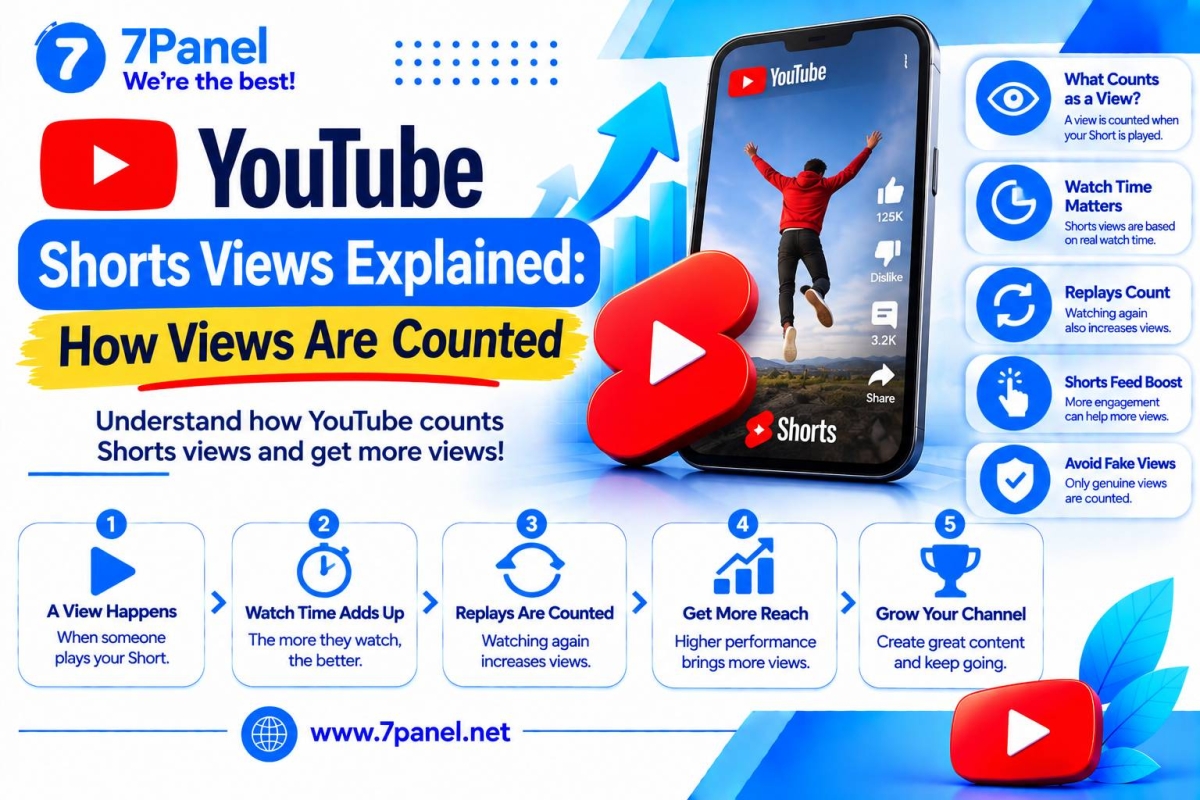
Shorts views on YouTube are defined as the total number of times the Short plays or gets rewatched based on the view counting system adopted by YouTube.
As of March 31, 2025, YouTube counts a view of a Short each time a Short plays or gets rewatched regardless of any required minimum viewing duration.
In other words, there is no requirement for the viewer to watch the whole Short for the view to get counted.
Views give insights about the frequency at which the content is played and watched.
How Are YouTube Shorts Views Counted?
YouTube counts Shorts views when playback begins or when the Short is replayed. There is no minimum viewing duration required for the public view counter.
For example:
- A Short starts playing in the Shorts feed.
- The playback generates a view.
- The viewer watches the video for a few seconds or continues watching.
- If the Short replays, that replay can generate another view.
However, YouTube uses additional metrics to measure viewers who actually continue watching.
This distinction is important because total views and engaged views measure different aspects of video performance.
YouTube Shorts Views vs. Engaged Views
Views and Engaged Views are not the same metric.
Views measure how often a Short starts playing or is replayed.
Engaged Views measure how many times viewers chose to continue watching beyond the initial seconds, excluding loops.
Engaged Views provide a more meaningful indication of viewer interest because they help creators understand whether people stayed to watch rather than immediately swiping away.
| Metric | What It Measures |
|---|---|
| Views | Starts and replays |
| Engaged Views | Viewers who continued watching beyond the initial seconds |
| Stayed to Watch | Percentage of viewers who watched rather than swiped away |
| Watch Time | Total time viewers spent watching |
| Average View Duration | Average viewing duration among engaged views |
For creators, analyzing these metrics together provides a better understanding of content performance than looking at the public view count alone.
Why Do YouTube Shorts Views Matter?
Shorts views can help creators understand how much exposure their content receives.
A higher view count may indicate that a video is reaching more people, but views alone do not explain why a Short performed well.
Creators should also consider:
- Whether viewers stayed to watch
- How much of the video they watched
- Whether viewers liked or shared it
- Whether the Short generated subscribers
- Which traffic sources brought viewers
A video with many views but low viewer retention may need a stronger opening, clearer messaging, or better pacing.
How to Check YouTube Shorts Views in Analytics
You can analyze Shorts performance through YouTube Studio.
Follow these steps:
- Open YouTube Studio.
- Select Content from the menu.
- Choose the Shorts tab or filter.
- Select the Short you want to analyze.
- Open Analytics.
- Review views, engaged views, watch time, subscribers, and audience engagement.
You can also compare different Shorts to identify patterns in topics, formats, video lengths, and opening hooks.
Analytics helps you understand which videos attract attention and which ones encourage viewers to continue watching.
How to Get More YouTube Shorts Views
If you want your Shorts to reach more viewers, focus on making content that people want to watch.
1. Start With a Strong Hook
The first few seconds should immediately introduce something interesting. Avoid unnecessary introductions that delay the main content.
2. Focus on One Idea
Short videos work best when they communicate one clear message, answer one question, or deliver one useful takeaway.
3. Improve Video Quality
Use clear visuals, readable text, good lighting, and understandable audio.
4. Create Relevant Content
Choose topics that match your audience's interests. Content that solves problems, teaches something useful, or entertains viewers can encourage stronger engagement.
5. Analyze Your Results
Compare your Shorts using Engaged Views, Stayed to Watch, Average View Duration, and subscriber gains.
Use the results to improve your next videos instead of repeating the same format without analyzing performance.
Do YouTube Shorts Views Count Toward Monetization?
Not all public Shorts views are used for monetization or YouTube Partner Program eligibility.
YouTube uses specific metrics, including eligible or qualified Shorts views and engaged views, depending on the monetization report and requirement.
The public view counter and monetization-related metrics should not be treated as interchangeable.
Creators should check the Earn tab in YouTube Studio and the relevant Analytics reports to understand their current eligibility and monetization progress.
Frequently Asked Questions
A view can be counted when a Short starts playing or replays. YouTube may still verify views and adjust metrics to remove invalid activity.
Under the current public view-counting system, a view can count when playback starts without a minimum watch-time requirement. Engaged Views measure viewers who continue watching beyond the initial seconds.
Public views include starts and replays, while Engaged Views focus on viewers who continued watching beyond the initial seconds. Therefore, the two metrics can be significantly different.
Yes. Replays can generate additional views under YouTube's current Shorts view-counting system.
Yes, they help measure exposure. However, engaged views, retention, subscribers, and audience interest are also important for understanding whether your Shorts are helping your channel grow.
Conclusion
YouTube Shorts view numbers are useful for calculating how frequently your videos begin and get rewatched. Unfortunately, view numbers alone won’t give you the whole picture.
In order to track your Shorts results, you should consider such metrics as Engaged Views, Stayed to Watch, Watch Time, Average View Duration, and subscriber growth in addition to your public view number.
With the help of viewer engagement and constant polishing of your video content, you will be able to implement an efficient Shorts strategy.



Join us on Telegram
Get updates and tips on our channel.
Article tools
Share this article