 Open
Open
.png)
Official extension for Chrome: place orders, track status, support, and API access—without leaving your browser.
Works only on 7panel.net. No extra data collection—requests go straight to official 7Panel servers.
Open the official listing: 7Panel SMM Tools in Chrome (or any Chromium browser that supports the Web Store).
Click Add to Chrome, then confirm with Add extension in the popup.
Optional: click the puzzle piece icon next to the address bar, then Pin next to 7Panel SMM Tools for quick access.
Visit 7panel.net and use the extension with your account as usual.
Direct link: chromewebstore.google.com/detail/7panel-smm-tools/blooedlifgicaooejmfpijembmogopdi
Apple doesn't yet support automatic install prompts. You can manually install the app by following these simple steps:
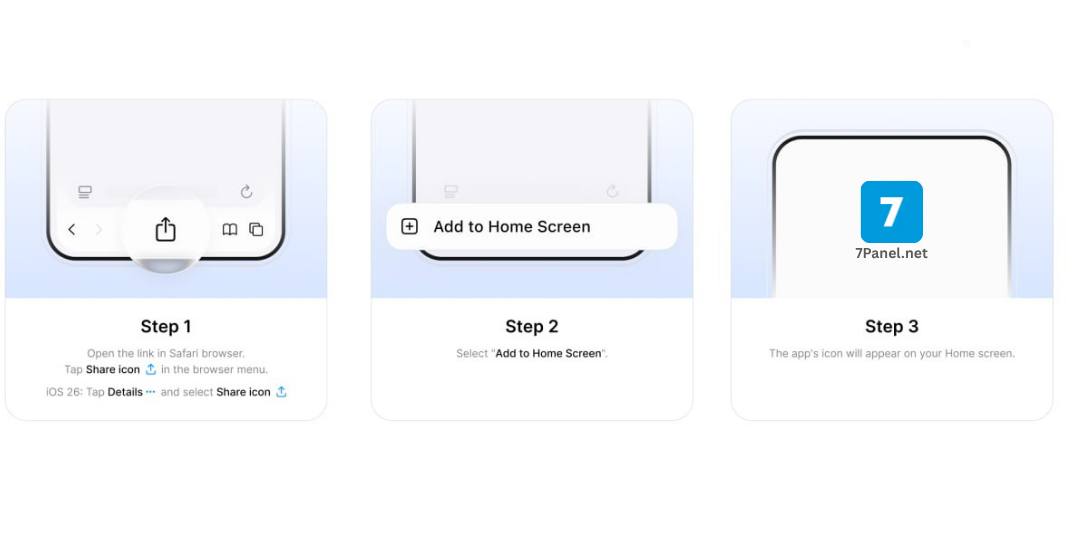
Open the link in Safari:
👉 https://7panel.net/
Tap the Share icon in the bottom toolbar.
Scroll down and choose Add to Home Screen.
✅ The 7Panel icon will appear on your home screen.

When you open the link below in your Chrome browser, an install button will appear automatically.
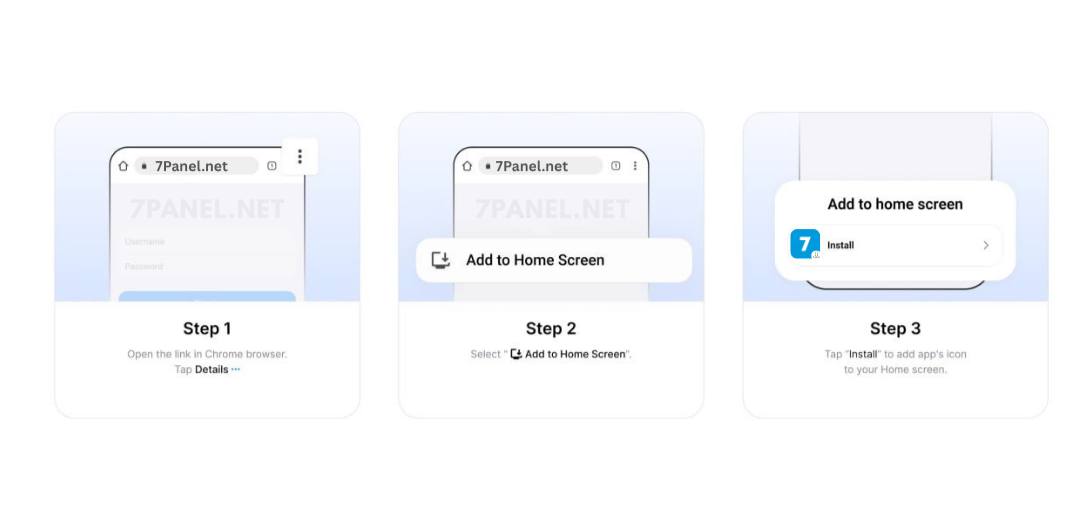
Open the link in Chrome:
👉 https://7panel.net/
Tap the three dots ⋮ in the top-right corner.
Select Add to Home Screen and confirm by tapping Install.
✅ The 7Panel icon will appear on your home screen.
Get instant updates for new services, price drops, payments, and announcements. Your browser will ask Allow or Block.