

YouTube Views vs Watch Time: What's the Difference?
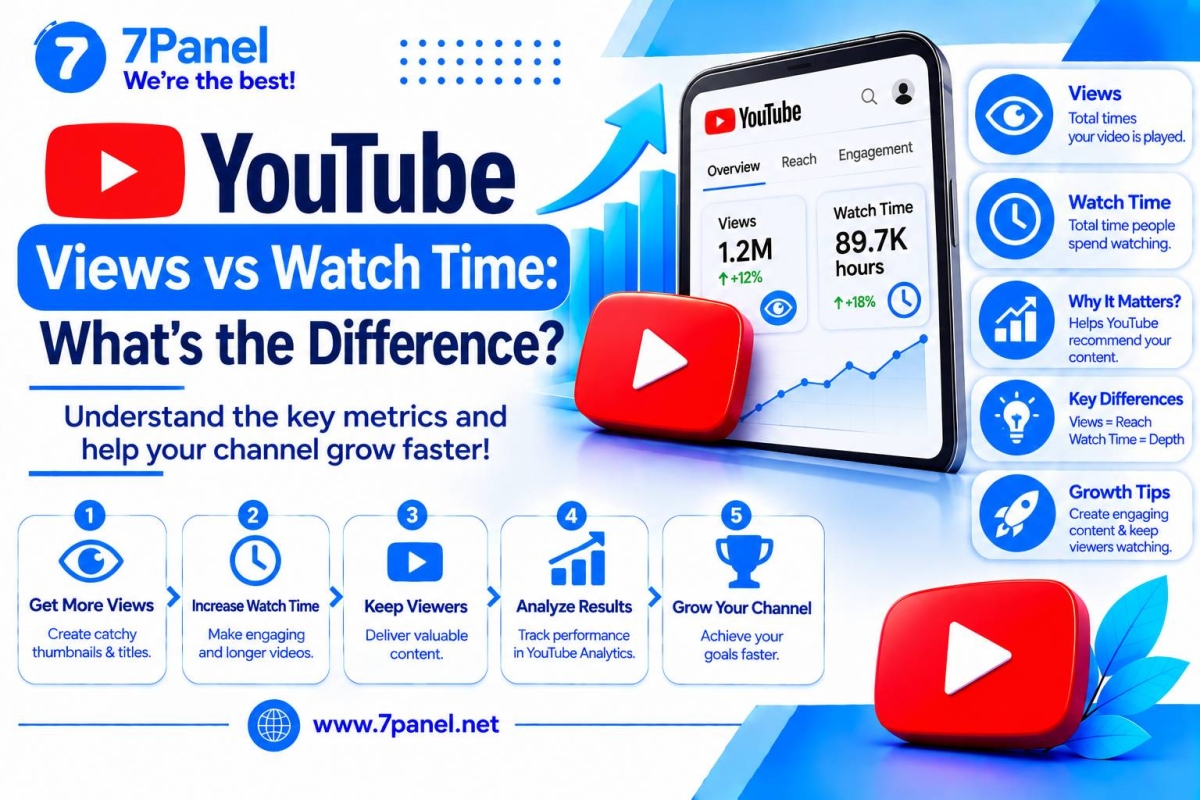
YouTube video creators usually prioritize getting more views for their videos, yet views alone don’t tell the whole story about how well the video performed. A video might get thousands of views, yet not be watched for even a minute by the viewer.
Watch Time comes into play.
Distinguishing YouTube views from watch time can assist video creators to analyze their videos better.
What Are YouTube Views?
YouTube views represent the number of times a video has been viewed according to YouTube's view-counting systems.
Views are one of the most visible metrics on YouTube. They help creators understand how much viewing activity their videos receive.
For example, if a video receives 10,000 views, it has generated 10,000 counted views. However, this number alone does not tell you how long people watched the video.
Views are useful for measuring:
- Video visibility
- Audience interest
- Content reach and discovery
- Performance comparisons between videos
- The effectiveness of promotional campaigns
A high view count can attract attention, but it does not automatically mean viewers watched the entire video or found it valuable.
What Is YouTube Watch Time?
Watch Time is the total amount of time viewers spend watching your videos.
It is measured in hours or minutes and helps creators understand how much viewing time their content generates.
For example, if 100 viewers each watch a video for an average of 5 minutes, the video generates approximately 500 minutes of watch time.
Watch Time helps you evaluate:
- How long viewers stay on your videos
- Whether your content holds audience attention
- How much total viewing time your videos generate
- Which videos encourage longer viewing sessions
Unlike views, Watch Time focuses on the duration of viewing rather than simply the number of counted views.
YouTube Views vs Watch Time: Key Differences
| Metric | YouTube Views | Watch Time |
|---|---|---|
| Measures | Counted video views | Total viewing duration |
| Unit | Views | Minutes or hours |
| Main purpose | Measure viewing activity | Measure time spent watching |
| Indicates | How many counted views a video received | How much time viewers spent |
| Best for | Visibility and view comparisons | Audience attention and viewing behavior |
Views tell you how many counted views your video received. Watch Time tells you how long people spent watching it.
Both metrics are important, but they provide different insights.
Example: High Views vs High Watch Time
Imagine two YouTube videos:
| Metric | Video A | Video B |
|---|---|---|
| Views | 10,000 | 5,000 |
| Average View Duration | 1 minute | 4 minutes |
| Total Watch Time | 10,000 minutes | 20,000 minutes |
Video A has twice as many views as Video B.
However, Video B generates twice as much Watch Time because viewers spend significantly longer watching it.
This example shows why a video with fewer views can generate more total viewing time.
The best way to evaluate content is to analyze views alongside Watch Time, Average View Duration, and audience retention.
What Is Average View Duration?
Average View Duration (AVD) measures the average amount of time viewers spend watching a video.
It helps you understand how long people typically watch before leaving or reaching the end.
For example:
- Video length: 10 minutes
- Average View Duration: 4 minutes
- Average percentage viewed: approximately 40%
A higher Average View Duration may indicate that your content is holding viewers' attention, although the ideal duration depends on the video format, topic, and audience.
Creators can use this metric to identify videos that keep viewers engaged and understand where improvements may be needed.
Why Watch Time Matters on YouTube
Watch Time is an important performance metric because it helps creators understand how their videos are being consumed.
1. Understand Audience Retention
Watch Time and audience retention help reveal whether viewers remain interested in your content.
If many viewers leave early, your introduction may be too long, the video may not match the title, or the content may not meet their expectations.
2. Improve Video Content
Analyzing viewing behavior can help you identify which sections are engaging and which sections may need improvement.
You can use this information to improve your storytelling, editing, pacing, and video structure.
3. Evaluate Content Performance
Views show viewing activity, while Watch Time provides additional insight into viewing duration.
Comparing both metrics across similar videos can help you identify content that attracts viewers and keeps them watching.
4. Understand Monetization Requirements
YouTube Partner Program eligibility depends on specific requirements, which may include qualifying public watch hours or Shorts views, depending on the monetization pathway.
Not every type of watch time counts toward every eligibility requirement. Creators should check YouTube's current official monetization criteria rather than assuming all viewing time qualifies.
How to Increase YouTube Watch Time
If your goal is to improve Watch Time, focus on creating videos that genuinely satisfy viewers.
Create a Strong Introduction
Explain what the video is about and why viewers should continue watching. Avoid unnecessarily long introductions.
Match Your Title to Your Content
Your video should deliver what its title and thumbnail promise. Misleading titles can disappoint viewers and encourage them to leave early.
Improve Video Structure
Organize your content into clear sections. Use transitions, examples, and storytelling to make longer videos easier to follow.
Remove Unnecessary Content
Avoid repetitive explanations, long pauses, and irrelevant sections that make videos difficult to watch.
Analyze Audience Retention
Review your YouTube Analytics retention graphs to understand where viewers continue watching and where they leave.
Create Related Videos
Develop related content around topics your audience is interested in. Useful videos can encourage viewers to explore more of your channel.
How to Check Views and Watch Time in YouTube Analytics
You can review your video performance through YouTube Studio.
- Open YouTube Studio.
- Select Content.
- Choose the video you want to analyze.
- Open Analytics.
- Review the Overview, Engagement, and available audience-retention reports.
- Compare Views, Watch Time, and Average View Duration.
The available reports and metrics may vary depending on video format, channel data, and YouTube's current interface.
Frequently Asked Questions
No. Views measure counted viewing activity, while Watch Time measures the total time viewers spend watching videos.
Yes. A video may receive many views while viewers leave shortly after starting. This can result in high views but relatively low total Watch Time.
Not necessarily. Watch Time can increase when viewers watch videos for longer, even if the number of views remains the same.
There is no universal ideal Watch Time. It depends on video length, topic, format, audience, and viewing behavior. Compare similar videos and focus on improving your own performance.
Both are useful. Views help measure viewing activity, while Watch Time provides insight into how long viewers consume your content. For a complete performance analysis, review both along with audience retention.
Conclusion
The number of YouTube views and watch time are two metrics that represent different aspects of your videos. While the former will inform you about the number of viewed actions your video has, the latter will represent the total time people have been watching your video.
By looking at these metrics in combination with average view duration and audience retention, one may learn more about their videos and develop a better strategy for producing content on YouTube.



Join us on Telegram
Get updates and tips on our channel.
Article tools
Share this article