

What Is an SMM Panel API and How Does It Work?
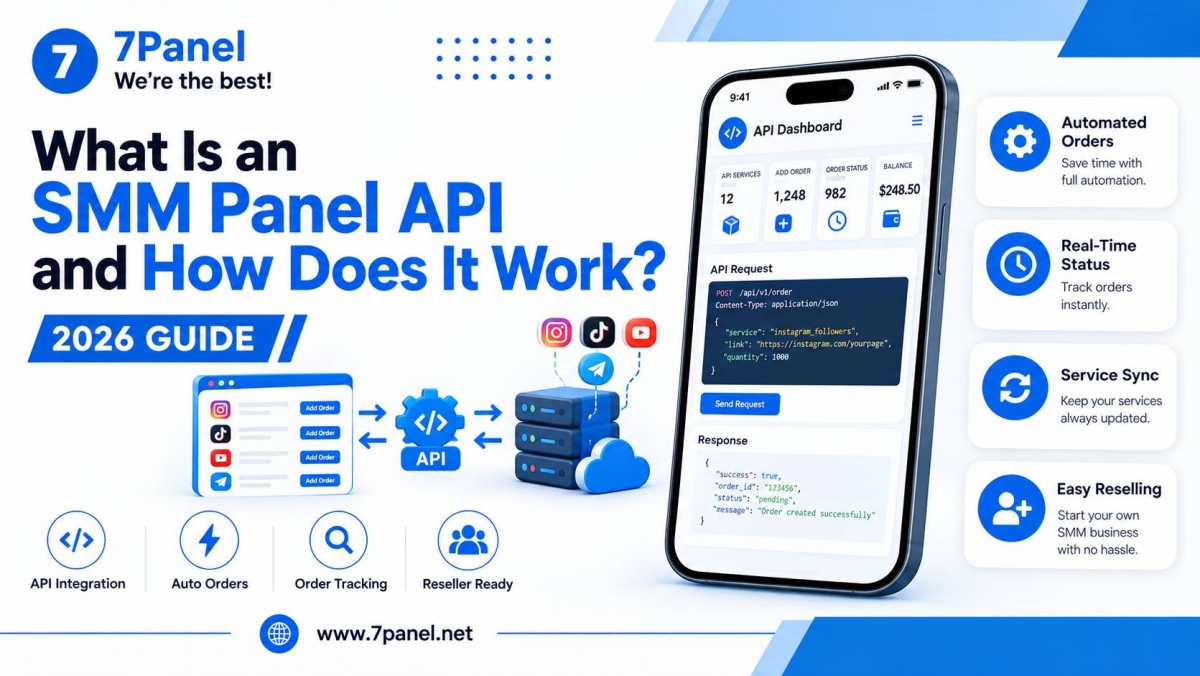
An API for an SMM panel makes it possible for a site or app or any kind of software to be able to communicate automatically with an SMM panel.
Rather than doing manual ordering of all items through the dashboard, one can get the services, order them, monitor the order status, and execute other related tasks via the API.
Thus, an SMM panel API is quite beneficial for developers, agencies, resellers, and any business.

How Does an SMM Panel API Work? ⚙️
The basic process is simple:
Your Website or Software → SMM Panel API → Service Processing → Order Status
Your application sends an authenticated API request to the SMM panel.
The panel processes the request and returns a response, usually containing information such as a service list, order ID, status, balance, or an error message.
This allows your system to communicate with the panel without requiring manual action for every order.
What Can You Do With an SMM Panel API?
Depending on the provider, an API can support different operations.
Common API functions include:
🔹 Get Available Services
Your software can request the current service list and receive information such as:
- Service ID
- Service name
- Category
- Price
- Minimum quantity
- Maximum quantity
- Available features
🔹 Create Orders
A connected system can send an order containing information such as the service, target link, and quantity.
The API can then return an order ID that your system can save and track.
🔹 Check Order Status
Your application can automatically request the latest status of an order.
This is useful when customers need order updates without manual checking.
🔹 Manage Multiple Orders
For reseller platforms with many customers, API-based order management can reduce repetitive manual work.
Some APIs also support checking multiple orders or submitting multiple orders through supported bulk operations.
🔹 Check Balance
An API can also provide the account balance so your software can monitor available funds and handle order workflows more efficiently.
SMM Panel API for Resellers 💼
One of the most common uses of an SMM panel API is reseller integration.
A reseller can connect the API to their own website or software and create a customer-facing ordering system.
For example:
Customer places an order → Your website → API → SMM panel → Order processing → Status returned to your website
This means the reseller does not need to manually transfer every customer order to the supplier.
For businesses looking for an integrated SMM Reseller Panel, 7Panel provides API access for supported reseller workflows.
API Integration vs. Child Panel
There are two common approaches for building an SMM reseller business.
API Integration
API integration is suitable when you already have:
- Your own website
- A custom application
- Your own ordering system
- A development team
The API allows your software to communicate programmatically with the SMM provider.
Child Panel
A Child Panel is useful when you want your own customer-facing SMM website without developing the complete platform from scratch.
Your customers can use your branded website while the underlying service infrastructure is connected to the main provider.
Choose the approach based on your technical requirements and business model.
How to Integrate an SMM Panel API 🔌
The general integration process looks like this:
1. Create an Account
Create an account with an SMM provider that offers API access.
2. Get Your API Key
After authentication, obtain the API key provided by the platform.
Keep this key private and never expose it in public frontend code.
3. Connect Your Software
Your developer can connect your website or application to the provider's API endpoint.
4. Retrieve Services
Request the available services and store the required service information in your system.
5. Send Orders
When a customer places an order, your system sends the required parameters to the API.
6. Track the Order
Save the returned order ID and periodically request its status.
This creates an automated workflow between your website and the SMM panel.
Example of an SMM Panel API Workflow
A typical reseller workflow can look like this:
Customer
   ↓
Your SMM Website
   ↓
Your Order System
   ↓
SMM Panel API
   ↓
Service Provider
   ↓
Order Status
   ↓
Your Customer Dashboard
The exact workflow depends on the API provider and the operations it supports.
Why Use an SMM Panel API? 📈
API integration can provide several practical benefits for resellers.
Automation
Orders can be submitted and processed automatically instead of being entered manually.
Faster Order Management
Your system can send orders and receive status information programmatically.
Scalability
Automating repetitive tasks becomes increasingly useful when managing many customers and orders.
Custom Customer Experience
Resellers can build their own interface instead of sending customers to an external provider's dashboard.
Centralized Management
Orders, customers, pricing, and account logic can be managed through your own platform while supported services are connected through the API.
Features to Consider When Selecting an SMM Panel API 🧐
In advance of selecting an API provider, consider:
- Documentation
- Authentication mechanism
- List of API functions
- Catalog of services
- Order status processing
- Re-fill and cancellation capabilities
- Error management
- Request and rate limitations
- Price and availability of services
- Technical support
In particular, good documentation is very valuable because your development team requires specific details to implement the integration successfully.
7Panel SMM Panel API
7Panel provides an API for supported reseller workflows. The current API documentation uses the /api/v2 endpoint and supports authenticated requests for operations such as retrieving services, creating orders, checking order status, managing refills, cancellations, and checking account balance.
For resellers that already operate their own website or software, the API can be used to connect supported 7Panel services programmatically.
👉 Explore the SMM Reseller Panel
🔥 Conclusion
An SMM panel API connects your website or software to an SMM panel and allows supported services and order workflows to be managed programmatically.
For developers and resellers, API integration can reduce manual work, automate order processing, and make it possible to build a customized customer-facing platform.
If you are looking for an API-enabled reseller solution, explore the SMM Reseller Panel from 7Panel.
You can also visit 7Panel to explore the platform and available solutions.
Frequently Asked Questions
An SMM panel API is an interface that allows software to communicate with an SMM panel and automate supported operations such as retrieving services and managing orders.
Your website or application sends an authenticated request to the API, and the SMM panel returns the requested information or processes the supported operation.
Yes. An API can connect a reseller's website or application to an SMM provider and automate supported customer order workflows.
Yes, a custom API integration normally requires programming knowledge or a developer who can work with API requests, authentication, responses, and error handling.
An API is designed for programmatic integration with your own software, while a Child Panel provides a customer-facing reseller website using the provider's underlying infrastructure.




Join us on Telegram
Get updates and tips on our channel.
Article tools
Share this article